

Opening an account with casino cashed connexion sécurisée within France is a straightforward process, but understanding what to expect in advance will streamline the process and steer clear of common mistakes. From confirming your eligibility to completing identity verification, this guide addresses the full account creation journey. We explain precisely what information you need to provide, how our security checks work, and what to do if something goes wrong during registration or login. The objective is to get you from the sign-up screen to your first session swiftly and securely.
Eligibility Conditions for French Players
Before you start filling in the registration form, make sure you satisfy the legal requirements to join Cashed Casino in France. The main condition is age: you have to be at least 18 years old. This is not a recommendation but a firm legal obligation under French gambling regulations. We confirm your date of birth during sign-up and may request proof of age during the account verification process. Registering with an incorrect birth date will slow down access and could lead to account closure.
You are also required to be present in a jurisdiction where online gambling is legal when you play. While our platform is offered to players in France, you might be required to confirm your location through your device settings or by providing a proper French residential address. Players must not use virtual private networks or proxy services to hide their location. This contravenes our terms and can trigger automatic security locks on the account.
Each player may hold only one account. Duplicate accounts created to claim multiple welcome offers or to bypass limits are not allowed. Our system examines personal details such as name, date of birth, and address against existing records. If a duplicate is detected, the newest account will be terminated and any bonus balance may be removed. If you have lost your previous login details, use the password recovery tool instead of registering again.
Frequent Registration and Login Problems and How to Fix Them
A very common problems players in France report is not getting the confirmation email after registration. Prior to reaching out to support, look in the spam, junk, and promotions folders in your email client. Include our sender address to your safe list or contacts to ensure future messages land in your inbox. In case the email is absent from all folders, employ the “resend confirmation” option on the login page. This forces our system to dispatch a new activation link to the same address.
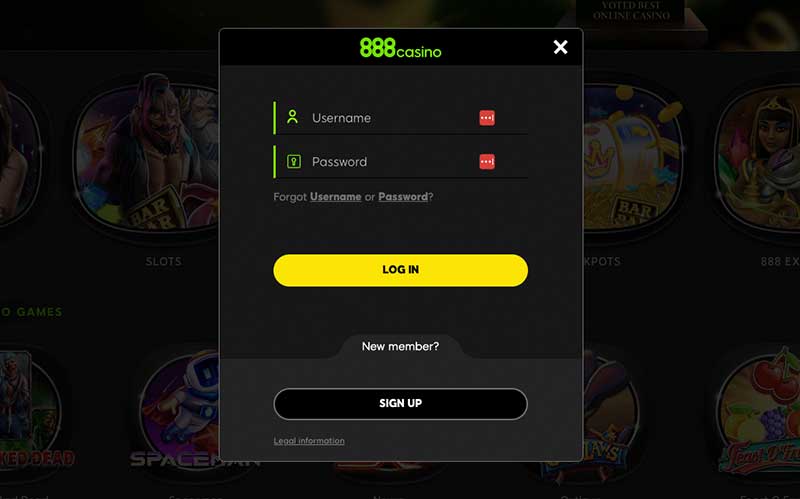
Another typical issue is a discrepancy between the registration details and the verification documents. As an illustration, should you register using a shortened version of your first name, e.g. “Alex” instead of “Alexandre,” the verification will fail. To fix this, log in and modify your personal details in the account settings before submitting documents. In case the fields are locked after submission, contact support to request a correction. The support team can unlock the fields after a quick security check.
Users sometimes mention that the login page is slow to load or fails to load. This is often caused by browser cache or outdated cookies. Clear your browser cache and cookies, then exit and relaunch the browser. Ensure your browser is running the latest version. If the trouble remains, attempt a different browser or device. Disable browser extensions that block scripts or pop-ups, as these can affect the login form. Finally, confirm that your internet connection is stable and not going through through a VPN or proxy.
The Login Process and How to Reset a Missing Password
Accessing Cashed Casino uses the email address and password you created during registration. The login button is located in the top right corner of the page. After entering your credentials, you could be required to complete a CAPTCHA challenge or a 2FA step if you have enabled it. These measures block automated attacks and ensure your account protected. If you enter the wrong password multiple times, your account may be temporarily locked for security. Pause a few minutes before retrying.
If you misplace your password, tap the “Forgot password” link on the login screen. Provide the email address associated with your account, and we will dispatch a password reset link to that address. The link remains active for a limited time, typically 30 minutes, and may be used only once. After following the link, you can establish a new password. Make sure your new password is different from the previous one and fulfils the strength requirements mentioned earlier.
If you lack access to the email address on your account, you cannot use the automated reset tool. In this situation, contact customer support through the live chat or support email. Our team will walk you through a manual verification process, which may require you to answer security questions or submit identity documents. This process secures your account from unauthorised takeover attempts. Do not create a new account in the meantime, as this could complicate the recovery and activate duplicate account flags.
Details You Should Have Ready Before Beginning
Keeping the necessary details available allows the sign-up form a lot faster to complete. You should provide your full legal name exactly as it is written on your government-issued ID. We also ask for your date of birth, a valid email address, and your mobile phone number. The email address is important because it serves as the primary way for account notifications, verification links, and security alerts. Choose an address you review regularly and keep access to it protected.
Your residential address is another required field. This must be your current home address in France, with street name, house number, postal code, and city. The address you input must align with the address displayed on any document you later provide for verification. Discrepancies between the registration form and your proof of address are some of the most common sources of delayed verification, so fill in the details carefully.
You will also establish a strong password during registration. A good password has at least eight characters and mixes upper and lower case letters, numbers, and symbols. Stay away from using easily figured out information such as your name, birth date, or the word “password.” We advise using a password manager to produce and keep a unique password for your Cashed Casino account. Never use again a password from another site, especially your email or banking accounts.
Understanding the Profile Verification and KYC Procedure
After registration, your account assumes a restricted condition until ID verification is finished. This process is known as Know Your Customer, or KYC, and it is mandated by French and European anti-money laundering rules. Authentication usually requires uploading a copy of a current government-issued photo ID, such as a travel document, national identity card, or driving license. The paper must be legible, fully visible, and not expired. Blurry photos or documents with cut-off edges will be declined and must be sent again.
Proof of address is commonly mandatory as also. This can be a utility bill, bank statement, or official government letter issued within the last three months. The paper must indicate your full name and existing location, and those details must align with the information on your registration application. We cannot allow mobile phone bills or handwritten papers in most situations. The assessment workflow is commonly finalized within a few hours, but during peak intervals it may take up to 48 hours.
In some cases, we may require a authentication of your deposit method. For illustration, if you deposit by card, you may be requested to supply a photo of the credit card showing only the last four numbers and your name, with the middle figures obscured. This safeguards both you and the platform from unauthorized card usage. You can send all documents through the protected document portal in your account options. Do not transmit identity files by email, as email is not a safe method for confidential information.
Detailed Walkthrough of the Enrollment Form
The registration form is split into clear sections to ensure the process simple. The first section requires your email address and a password. After you submit these, our system transmits a confirmation link to that email address. You must click this link to verify your account before you can log in. Look in your spam or junk folder if the message does not show up within a few minutes, and designate our sender address as secure to get future notifications.
The next section collects your personal details: first name, last name, date of birth, and gender. Enter your name exactly as it is listed on your passport, national identity card, or residence permit. Abbreviations, nicknames, or shortened forms will lead to a mismatch during verification. The date of birth is entered using a drop-down menu or calendar tool to eliminate formatting errors between day and month fields, which is a common source of failed validation.
The final section requests your address, country of residence, and phone number. Select France from the country list and enter your address carefully. The postal code must correspond to the city you specify; a common error is entering the correct street but the wrong postal code for the region. The phone number is used for two-factor authentication and account recovery, so it must be a number you can use. After reviewing all fields, submit the form to establish your account.
Enabling Two-Factor Authentication for Login Security
Two-factor authentication, or 2FA, provides a second layer of security to your Cashed Casino account. After you input your email and password, you are prompted to confirm your identity using a one-time code. This code is created by an authenticator app on your phone or sent by SMS. Even if someone learns your password, they cannot log in without also gaining access to your phone. We firmly recommend enabling 2FA immediately after setting up your account.
To configure 2FA, access the security section of your account settings after your first login. Select the authenticator app option if you use an app such as Google Authenticator or Authy. The system presents a QR code that you capture with the app, which then generates a six-digit code every 30 seconds. Input the current code to confirm the setup. From that point onward, each login needs a fresh code. Keep the backup codes supplied in a safe place in case you lose your phone.
If you select SMS-based 2FA, the code is delivered to your registered mobile number each time you log in. This method is handy but relies on mobile network coverage. If you travel outside France or modify your phone number, adjust your details in the account settings before you travel. Lacking access to both your email and your phone can greatly delay account recovery. Ensure your contact details current to avoid being locked out.
Protecting Your Account Best Practices for Players in France
Maintaining your Cashed Casino account secure demands a combination of robust login details and attentive online routines. Choose a distinct password that you avoid reusing on any other website, and update it every few months. Enable two-factor authentication as an extra barrier. Never sharing your login information with others, such as friends or family members. Cashed Casino support agents will not ask you for your complete password, so consider any inquiry for it as a phishing try.
Be aware of phishing emails that imitate casino communications. Examine the sender address carefully before tapping any hyperlink. Genuine messages from us arrive from the domain shown on the main Cashed Casino site. Phishing emails often employ lookalike domains with minor spelling changes, such as an added letter or a different top-level domain. If uncertain, avoid clicking the hyperlink. Instead, launch your browser and type the casino address by hand, then log in to review your account messages.
As a final immobilier.lefigaro.fr step, keep an eye on your account activity regularly. The majority of online casinos, like Cashed Casino, feature a login history or recent activity area in the account options. Review this periodically to ensure that all logins are from you. If you see an unfamiliar login from a separate device or area, update your password immediately and contact support. Log out after each session, especially if you game on a communal or public computer. These routines greatly minimize the risk of account compromise.
What to Expect After Your Account Is Activated

Once your account is established and validated, you can explore the complete selection of games and payment options available to players in France. You are not expected to deposit right away after registration. You may explore the game library, check the payment methods, and modify your account settings first. When you are set to play, pick a deposit method from the cashier section. The minimum and maximum limits are listed on the deposit page, and processing times differ by method.
Your account includes responsible gambling tools that you can activate at any time. Deposit limits, session time reminders, and self-exclusion options are available in the responsible gambling section of your account settings. These tools are meant to help you keep control over your play. Setting a deposit limit when you first open your account is a sensible way to create a budget before you begin. You can change these settings later, with cooling-off periods that stop impulsive changes.
Finally, keep your contact details up to date so that you get important account notifications, security alerts, and information about changes to our terms. We dispatch occasional messages to our players in France about maintenance windows, new features, and account-related updates. These messages are delivered by email and, if you opt in, by SMS. Updating your details after a move or phone number change makes sure that your account remains reachable and secure over the long term.

